GTA 5 Modding — Steam vs Epic vs Rockstar Launcher Comparison 2026
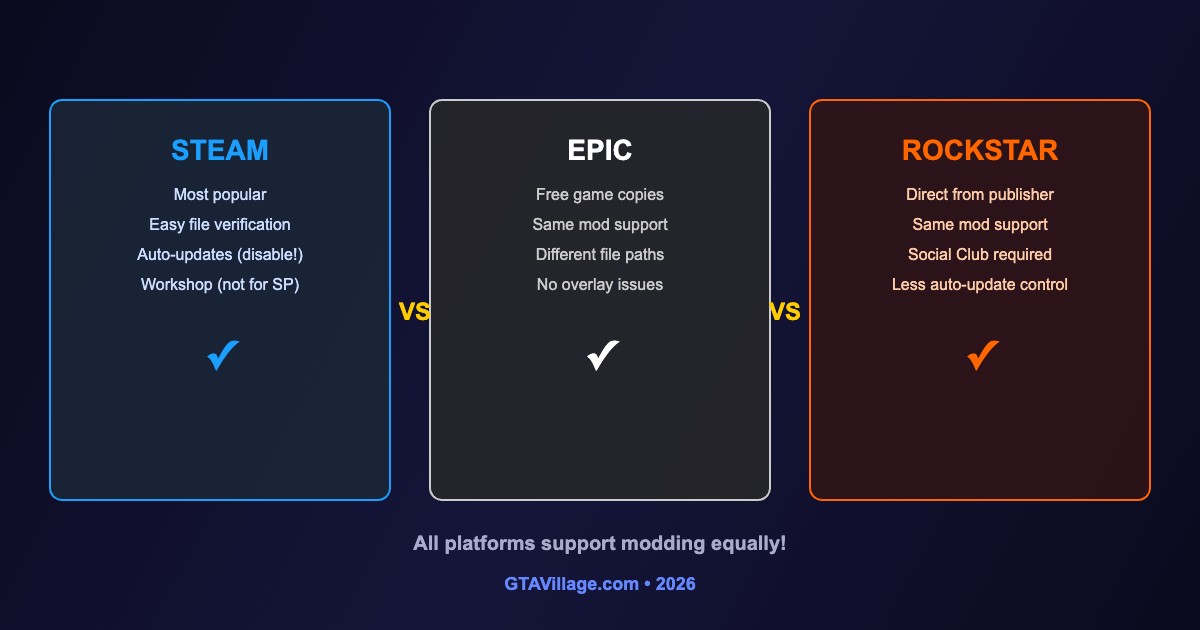
All three PC platforms support GTA 5 modding equally, but there are important differences in file paths, update behavior, and setup. This guide compares modding on each platform.
| Feature | Steam | Epic Games | Rockstar Launcher |
|---|---|---|---|
| Mod Support | Full | Full | Full |
| File Verification | Easy (verify integrity) | Easy (verify) | Manual |
| Auto-Updates | Can be disabled | Can be paused | Harder to disable |
| Default Path | Steam/steamapps/common/GTA V |
Epic Games/GTAV |
Rockstar Games/GTA V |
| Overlay Issues | Sometimes conflicts | Rare | Rare |
| Script Hook V | Works | Works | Works |
Steam-Specific Tips
- Disable auto-updates: right-click GTA V → Properties → Updates → Only update when I launch
- If Script Hook V breaks, don't launch via Steam until SHV is updated
- Use Steam Launch Options to add custom parameters if needed
- Steam overlay can conflict with some mods — disable via Properties → General
- File location:
C:/Program Files/Steam/steamapps/common/Grand Theft Auto V/
Epic Games-Specific Tips
- Pause auto-updates: Settings → Manage Games → disable auto-update for GTA V
- Epic version has no workshop — all mods are installed manually
- Some mods check for
steam_api64.dll— Epic version usesEOSSDK-Win64-Shipping.dll - File location:
C:/Program Files/Epic Games/GTAV/ - Epic overlay rarely causes issues with mods
Rockstar Launcher-Specific Tips
- Auto-updates are harder to prevent — consider blocking the launcher's update server
- Social Club integration is required regardless of platform
- File location varies: check
C:/Program Files/Rockstar Games/Grand Theft Auto V/ - Some users report faster load times on the Rockstar version
Universal Modding Setup
- OpenIV works identically on all platforms — just point to the correct game folder
- Script Hook V is platform-agnostic — same files work everywhere
- The mods folder structure is identical regardless of platform
- Always disable auto-updates to prevent Script Hook V from breaking
- After a game update, wait for Script Hook V to be updated before launching





Comments0
Sign in to leave a comment
No comments yet. Be the first to comment!