![2020 Chrysler Pacifica Limited Red S Edition [Add-On] for GTA 5](https://files.gtavillage.com/store/f96fcaee39cf8e16f32999fb02caa9f2.png)
![2020 Chrysler Pacifica Limited Red S Edition [Add-On] screenshot](https://files.gtavillage.com/store/64dd4abe0cca90e9df42cb4bfbd53077.png)
![2020 Chrysler Pacifica Limited Red S Edition [Add-On] screenshot](https://files.gtavillage.com/store/a36ed56fa11d1e5ff1fa7f87b0f97ed5.png)
Introducing the 2020 Chrysler Pacifica Limited Red S Edition vehicle modification for Grand Theft Auto V. Experience the luxury, performance, and practicality of one of the most advanced minivans in the market, now available in-game with stunning detail and accuracy.
Real-World Basis:
- Produced by American automaker Chrysler, the 2020 Chrysler Pacifica Limited Red S Edition is a top-of-the-line minivan renowned for its comfort, advanced features, and luxurious design.
- Equipped with a 3.6L Pentastar V6 engine producing 287 horsepower, the Pacifica Limited Red S Edition boasts a 0-60 mph time of 7.5 seconds and a quarter-mile time of 15.9 seconds at 90 mph.
- Unique features of the Pacifica Limited Red S Edition include a tri-pane sunroof, parallel and perpendicular parking assist, and a sporty design with the exclusive Red S appearance package.
Features of this Mod:
- Updated interior and exterior textures
- Corrected vehicle shape and scale
- Improved lighting details
- Functional gauge cluster
- Add-on installation method
- Second-row seats and front plate as extra options
Installation Instructions (Add-on):
1. Drag the folder "pacificasr" to: "Mods/update/x64/dlcpacks".
2. Go to: "mods/update/update/common/data/dlclist.xml".
3. Add the following line: "dlcpacks:\pacificasr\".
Credits:
- Original Convert: Lazlow and mod author
- Updated Textures: GTA Graphical
- Screenshots: CanadianMods
Embrace the luxury and versatility of the 2020 Chrysler Pacifica Limited Red S Edition in GTA V with this high-quality vehicle modification. With its combination of style, comfort, and practicality, the Pacifica Limited Red S Edition is sure to elevate your in-game driving experience. Please enjoy this mod and respect the creators' work by not modifying, reselling, or reuploading it elsewhere.
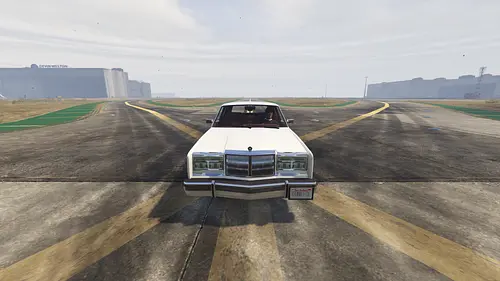
![Shelby Chrysler Dodge Omni GLHS - Goes Like Hell S'more [ADD-ON / Tuning / Template ]](https://files.gtavillage.com/store/074ba2ca921d7061e12cf76aaea5522c.webp)
![2022 Chrysler Pacifica S [Add-On/Replace]](https://files.gtavillage.com/store/bd4f844599f2c04bd3148624710376bf.webp)

![Chrysler ME-Four-Twelve [Add-On | Tuning | Template]](https://files.gtavillage.com/store/608292035b81348a7e670e8a036f8d3f.webp)
![2020 Chrysler Pacifica Limited S [Add-On]](https://files.gtavillage.com/store/f519eaa9fa4252021713e56c24ed9497.webp)












Comments0
Sign in to leave a comment
No comments yet. Be the first to comment!