FiveM Resource Development Basics 2026
FiveM resource development is your gateway to creating custom gameplay features for roleplay and multiplayer servers. This beginner-friendly guide for 2026 walks you through everything from setting up your first resource to understanding the client-server architecture that powers every FiveM script.
Understanding the Resource Structure
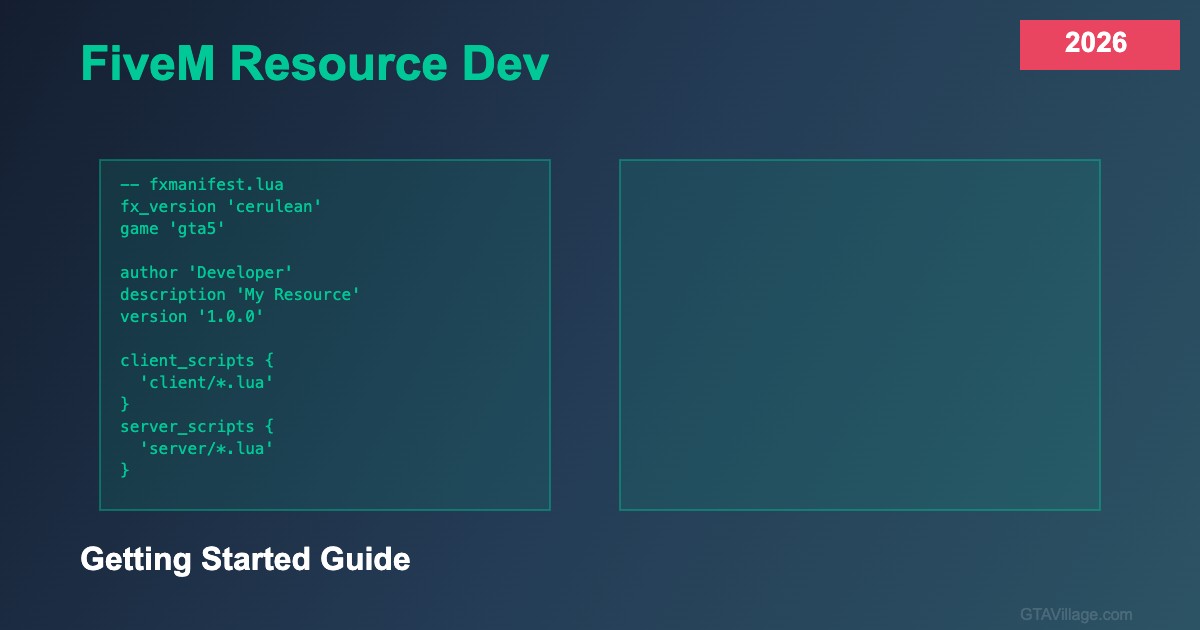
Every FiveM resource starts with a fxmanifest.lua file that defines metadata, dependencies, and file includes. A typical resource contains client scripts (running on players' machines), server scripts (running on the server), shared scripts (accessible by both), and NUI files for custom user interfaces. Understanding this separation is fundamental — client scripts handle visuals and input while server scripts manage data and security.
Your First Resource
Create a folder in your server's resources directory, add a fxmanifest.lua with fx_version 'cerulean' and game 'gta5', then create your first client script. Start with something simple like a command that displays a notification: RegisterCommand('hello', function() TriggerEvent('chat:addMessage', {args = {'Hello World!'}}) end). Add the resource to your server.cfg with 'ensure resourcename' and restart — you've built your first FiveM resource.
Client-Server Communication
FiveM uses events to communicate between client and server. TriggerServerEvent sends data from client to server, while TriggerClientEvent sends from server to a specific client. Always validate data on the server side — never trust client input. Use RegisterNetEvent and AddEventHandler to listen for events. This event-driven architecture is the backbone of every FiveM resource from simple commands to complex economy systems.
Essential Development Tools
Set up VS Code with the FiveM Lua extension for syntax highlighting and autocompletion. Use the F8 console in-game for debugging, print() statements for server-side logging, and the /restart command to reload resources without restarting the entire server. Learn to read server console output — error messages tell you exactly which file and line caused issues, making debugging straightforward even for beginners.





Comments0
Sign in to leave a comment
No comments yet. Be the first to comment!