GTA 5 File Structure Guide 2026
Understanding GTA 5's file structure is essential for every modder. The game uses a complex system of archive files, configuration XMLs, and data files that control everything from vehicle handling to world rendering. This complete overview for 2026 maps out every important directory and file type you need to know.
Root Directory Overview
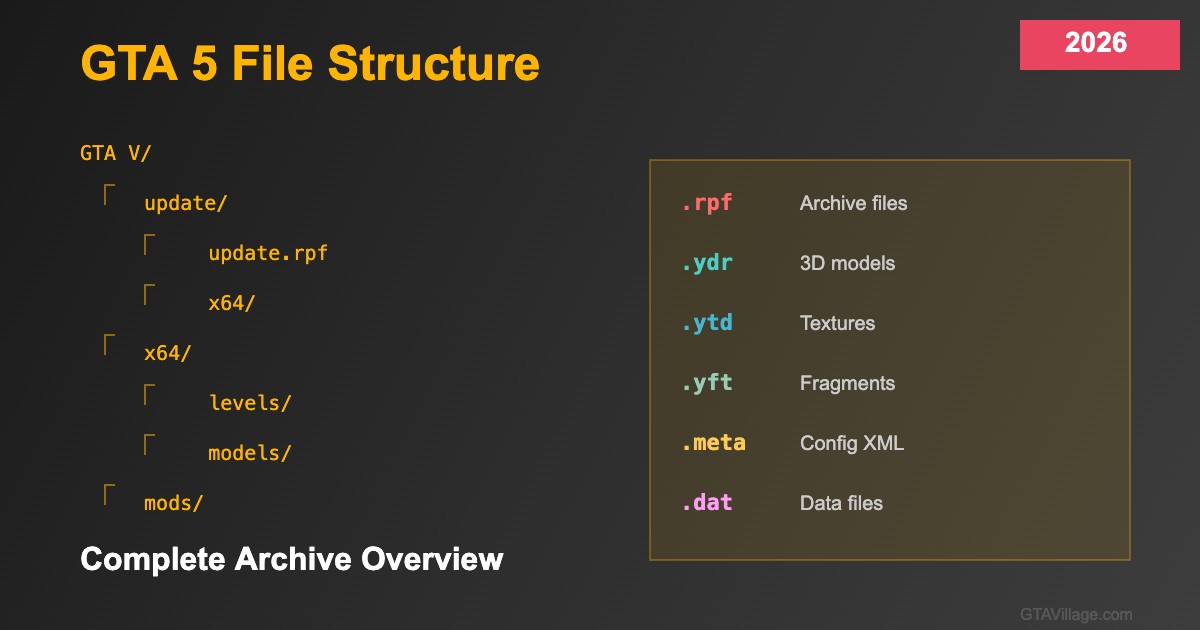
The GTA 5 installation contains several key directories: x64 holds the main game archives including models, textures, and audio. The update folder contains update.rpf with the latest game patches and overrides. The mods folder (created by OpenIV) mirrors the game structure for safe modding without touching original files. Understanding this hierarchy is the first step to knowing where to place or find any game asset.
RPF Archive System
RPF (Rage Package Format) files are compressed archives containing game assets. Key archives include common.rpf (shared assets and configs), x64a.rpf through x64w.rpf (game world data split alphabetically), update.rpf (latest patches overriding base files), and dlcpacks containing all DLC content. OpenIV is the essential tool for browsing, extracting, and modifying RPF contents — think of it as a file explorer specifically designed for GTA 5 archives.
Important File Types
GTA 5 uses proprietary file formats: YDR files contain 3D drawable models, YTD files store texture dictionaries, YFT files hold fragment (destructible) models, YBN files define collision boundaries, and YCD files contain animation clips. Configuration is handled through META files (XML format) controlling everything from vehicle stats to weapon damage, and DAT files for world data like traffic patterns and population settings.
DLC Structure and Loading Order
DLC content follows a specific structure within dlcpacks: each pack contains a dlc.rpf with setup2.xml (registration), content.xml (asset definitions), and subdirectories for models, textures, and data. The game loads DLCs in the order listed in dlclist.xml — later entries override earlier ones. Understanding this loading order is crucial when mods conflict or when you need specific assets to take priority over others.





Comments0
Sign in to leave a comment
No comments yet. Be the first to comment!