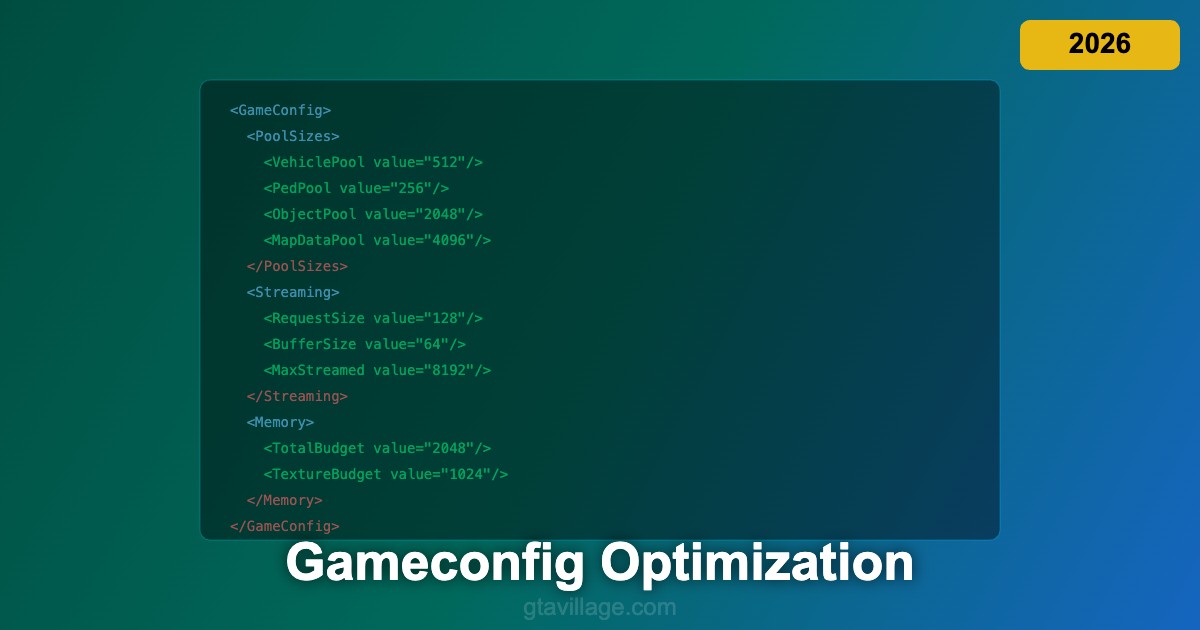
Gameconfig Optimization Guide for GTA 5 in 2026
The gameconfig.xml file is one of the most critical configuration files for modded GTA 5 installations. It controls memory allocation, entity pool sizes, streaming limits, and resource budgets that determine how many vehicles, peds, objects, and textures can exist simultaneously. Without a properly configured gameconfig, heavily modded games crash due to exceeded pool limits, even on powerful hardware.
Understanding Gameconfig Parameters
Gameconfig.xml contains hundreds of parameters organized into sections controlling different engine subsystems. Pool sizes define maximum counts for vehicles, peds, objects, map data, and other entity types. Streaming parameters control how the engine loads assets from disk into memory. Memory budgets set limits for texture memory, physics data, and general heap allocations. Each parameter has a default value that works for the unmodded game but becomes insufficient when you add addon vehicles, map mods, and high-resolution textures.
Critical Pool Size Adjustments
The most common crash cause in modded GTA 5 is exceeded entity pool limits. Key pools to increase include VehiclePool (default ~200, increase to 300-512 for addon vehicles), PedPool (increase to 200-300 for populated areas), ObjectPool (increase to 2048+ for map mods), and MapDataStorePool (increase to 4096+ for YMAP additions). The BuildingPool and DrawableStore pools need increases for MLO interiors and custom buildings. Increase pools gradually — excessive values waste memory without benefit.
Streaming and Memory Configuration
Streaming parameters control how fast and how much data loads from disk. Increase RequestedPhysicalMemory to allocate more RAM for the game engine. Adjust StreamingItemsMaxRequests to allow more simultaneous asset load requests, reducing texture pop-in. The TextureBudget parameter should be increased for 4K texture mods — default values cause texture streaming failures with high-resolution replacements. Match these values to your available RAM and VRAM for optimal performance.
Choosing and Customizing Gameconfig
Several community gameconfig packages are available, pre-tuned for different mod loads. F7YO gameconfig is widely recommended as a comprehensive solution for heavily modded installations. Dilapidated gameconfig offers alternative tuning focused on stability. When customizing, start with a proven community gameconfig and make targeted adjustments based on your specific mod setup. Monitor crashes and error logs to identify which pools need further increases. Keep notes on changes so you can revert if new settings cause instability in GTA 5 in 2026.





Comments0
Sign in to leave a comment
No comments yet. Be the first to comment!