What is mods.xml?
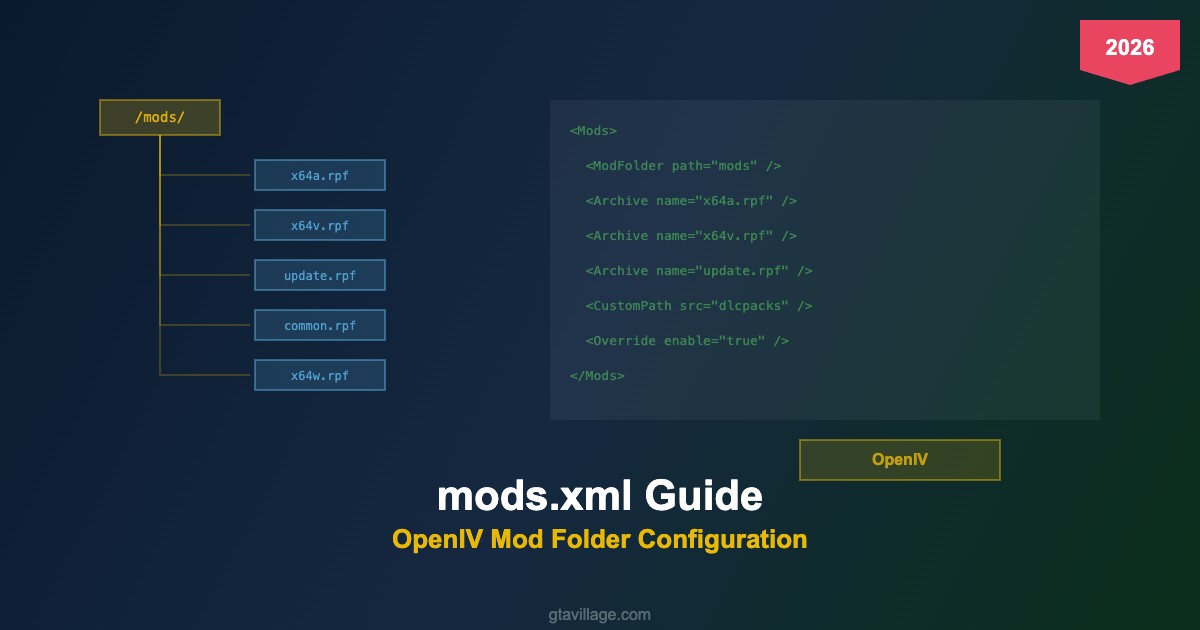
The mods.xml file controls how OpenIV's mod folder system redirects game files. It tells OpenIV which RPF archives to intercept and route through the mods/ folder instead of the original game directory.
File location: GTA V/mods.xml
Key Elements
| Element | Purpose | Example |
|---|---|---|
<ModFolder> |
Sets the root path for your mods directory | path="mods" |
<Archive> |
Specifies which RPF archive to redirect | name="x64v.rpf" |
<CustomPath> |
Adds custom DLC pack paths | src="dlcpacks" |
Default Configuration
Out of the box, OpenIV redirects these archives:
- x64a.rpf – x64w.rpf — main game assets (vehicles, peds, maps)
- update/update.rpf — latest game patches and DLC references
- common.rpf — shared data files (meta files, configs)
- x64/patch/ — patch-level overrides
How to Add Custom Paths
- Open
mods.xmlin a text editor (Notepad++ recommended) - Add a new
<Archive>entry for each RPF you want redirected - Create the matching folder structure inside
mods/ - Place your modified files in the corresponding paths
- Restart the game — OpenIV ASI will load from mods/ automatically
Troubleshooting Common Issues
-
Mods not loading: Verify
dinput8.dll(ASI Loader) is in game root -
Wrong file paths: Folder structure in
mods/must exactly mirror the original - DLC mods ignored: Add the DLC RPF path to mods.xml explicitly
-
Game updates break mods: Re-copy updated vanilla RPFs to
mods/after each patch





Comments0
Sign in to leave a comment
No comments yet. Be the first to comment!