What is ASI Loader?
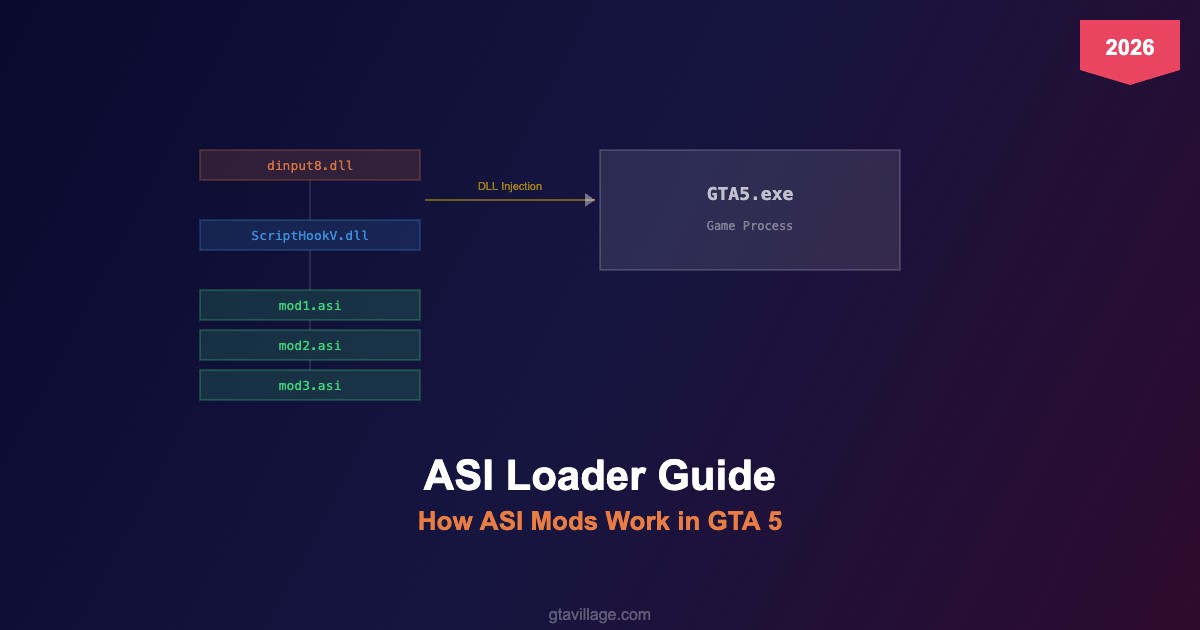
ASI Loader is the foundation of GTA 5 modding. It's a DLL file (dinput8.dll) that intercepts the game's startup process and loads .asi plugin files into the game's memory. Without ASI Loader, no script mods, trainers, or custom plugins can run in GTA 5.
How the Loading Chain Works
| Step |
Component |
What Happens |
| 1 |
GTA5.exe starts |
Windows loads dinput8.dll (ASI Loader) as a DirectInput proxy |
| 2 |
dinput8.dll |
Scans the game root folder for all .asi files |
| 3 |
ScriptHookV.dll |
Loaded as the primary scripting bridge — provides native function access |
| 4 |
*.asi plugins |
Each .asi mod is loaded into game memory and starts executing |
Installation
- Download ASI Loader from the ScriptHookV package
- Extract
dinput8.dll to your GTA 5 root folder (same directory as GTA5.exe)
- Extract
ScriptHookV.dll to the same folder
- Place any
.asi mod files in the root folder
- Launch the game — mods load automatically
Common ASI Files Explained
-
ScriptHookV.dll — core scripting engine, required by most mods
-
ScriptHookVDotNet.asi — .NET scripting bridge for C# mods
-
OpenIV.asi — enables the mods folder system
-
TrainerV.asi — built-in trainer from ScriptHookV package
-
HeapAdjuster.asi — expands game memory allocation
-
PackfileLimitAdjuster.asi — increases RPF file limits
Troubleshooting
| Issue |
Solution |
| Game doesn't start with mods |
Verify dinput8.dll is in the correct folder; check antivirus hasn't quarantined it |
| ScriptHookV version mismatch |
Update ScriptHookV after every GTA 5 game update |
| Specific .asi crashes the game |
Remove .asi files one by one to identify the culprit |
| Mods work offline but not online |
ASI mods are single-player only — remove or rename dinput8.dll before going online |





Comments0
Sign in to leave a comment
No comments yet. Be the first to comment!