Gameconfig.xml Advanced Guide - Load More Mods Without Crashes
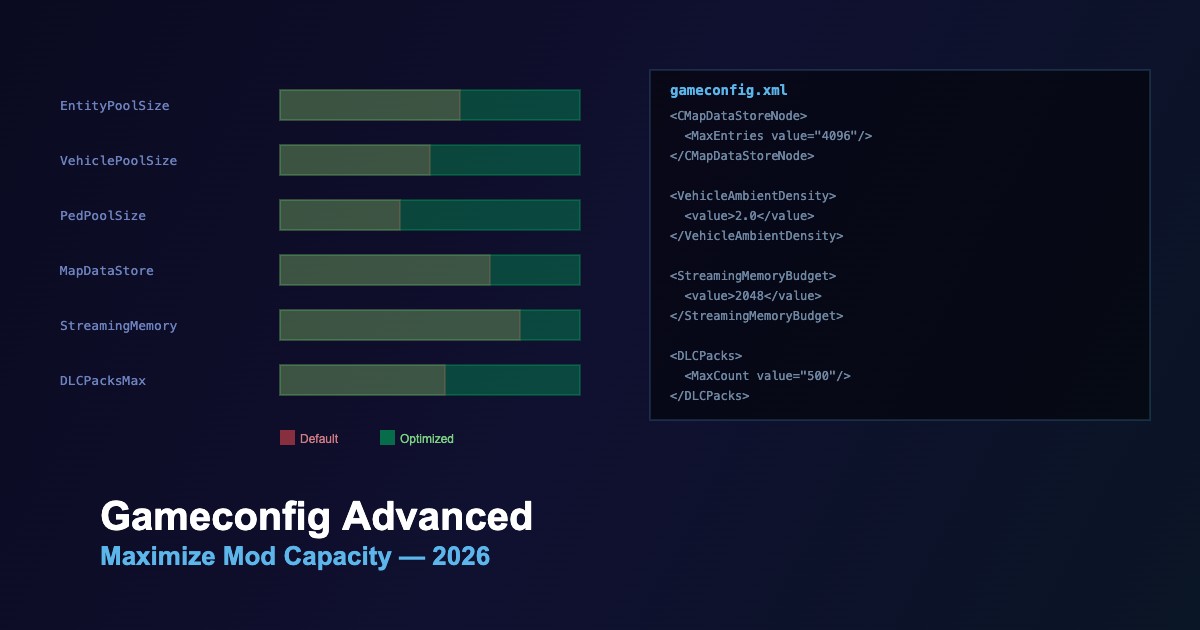
The gameconfig.xml file controls GTA 5's internal memory limits, entity pools, and resource budgets. A properly configured gameconfig is essential for running many mods simultaneously without crashes.
What Gameconfig Controls
| Category | Parameter | Default | Modded |
|---|---|---|---|
| Entity Pools | CEntityDef Pool | 2048 | 4096+ |
| Vehicle Budget | VehicleModelInfos | ~300 | 600-1000 |
| Ped Budget | PedModelInfos | ~400 | 800+ |
| Map Data | CMapDataStoreNode | 2048 | 4096 |
| Streaming | StreamingMemoryBudget | 1024 | 2048 |
| DLC Packs | DLCPacks MaxCount | 200 | 500+ |
File Location
update/update.rpf/common/data/gameconfig.xml
Always edit through OpenIV mods folder — never modify the original file directly.
Choosing the Right Gameconfig
- Match your game version — gameconfig must match your GTA 5 build number
- Match your mod count — light modders (10-30 mods) need less; heavy modders (100+) need maximum pools
- Match your RAM — 16GB configs differ from 32GB configs in streaming budgets
- Check compatibility — some visual overhauls (NVE, QuantV) include their own gameconfig
Critical Parameters Explained
| Parameter | What Happens If Too Low | Recommended Value |
|---|---|---|
CEntityDef |
Map objects disappear, crashes near modded areas | 4096 |
StreamingMemoryBudget |
Texture pop-in, streaming crashes | 2048 (16GB RAM) / 4096 (32GB) |
VehicleModelInfos |
Can't load add-on vehicles, crash on spawn | 800+ |
DLCPacks MaxCount |
DLC mods ignored, game won't load them | 500 |
MapDataStoreNode |
Map mods cause instant crash | 4096 |
Common Crash Scenarios and Fixes
-
Crash after loading screen — increase
StreamingMemoryBudgetand entity pools -
Crash when entering area — increase
CMapDataStoreNodeandCEntityDeflimits -
Crash spawning vehicles — increase
VehicleModelInfospool -
Too many add-ons crash — increase
DLCPacks MaxCount - Random crashes with many mods — use a gameconfig designed for 500+ mods
Companion Mods
- Heap Limit Adjuster — must-have alongside gameconfig; prevents heap overflow
- PackfileLimitAdjuster — raises the packfile loading limit
- PoolManager — dynamically adjusts entity pools in real-time





Comments0
Sign in to leave a comment
No comments yet. Be the first to comment!