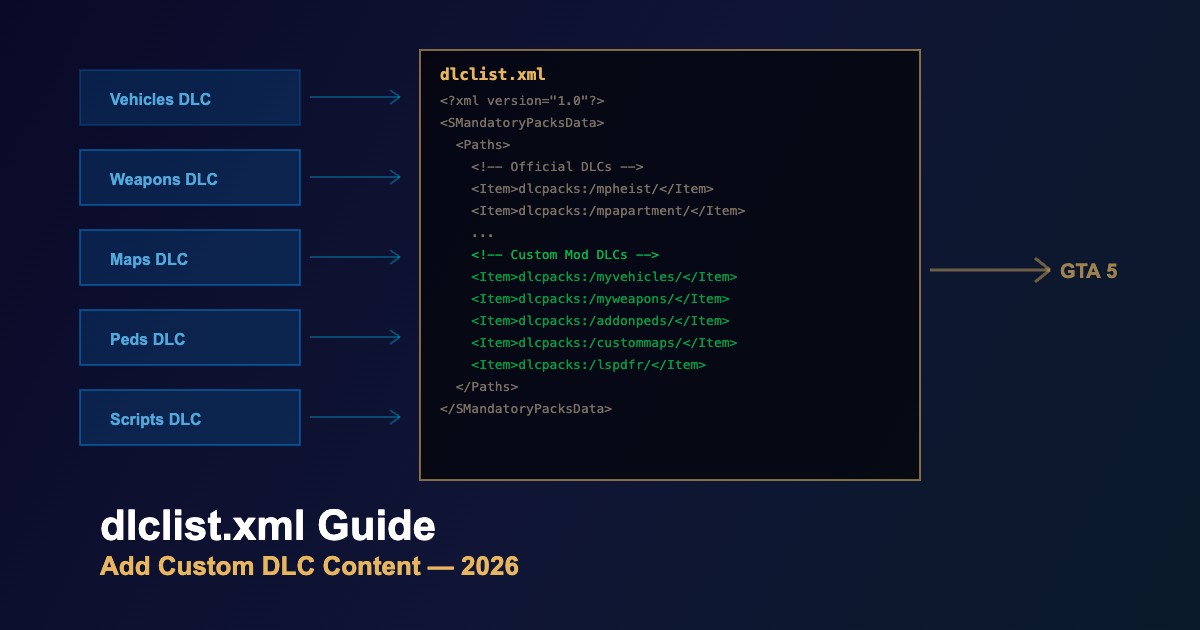
dlclist.xml - Register Custom DLC Packs in GTA 5
The dlclist.xml file tells GTA 5 which DLC packages to load. Every add-on vehicle, weapon, ped, or map mod packaged as DLC must be registered here to work in-game.
File Location
update/update.rpf/common/data/dlclist.xml
Edit through OpenIV mods folder to keep the original file safe.
How dlclist.xml Works
| Component | Purpose | Example |
|---|---|---|
<Paths> |
Container for all DLC entries | Root element |
<Item> |
Single DLC pack path | dlcpacks:/myvehicles/ |
dlcpacks:/ |
Points to the dlcpacks folder | Standard prefix |
platform:/ |
Platform-specific DLC path | Used by official DLCs |
Adding a Custom DLC Entry
-
Open
dlclist.xmlin OpenIV (mods folder) -
Scroll to the bottom of the
<Paths>section -
Add your entry before the closing
</Paths>tag:
<Item>dlcpacks:/your_mod_name/</Item>-
Ensure the folder exists —
mods/update/x64/dlcpacks/your_mod_name/ - Save and test — launch the game and verify the mod loads
Common DLC Entries by Mod Type
| Mod Type | Typical Entry | Contains |
|---|---|---|
| Add-on Vehicles | dlcpacks:/addonvehicles/ |
vehicles.meta, handling.meta, .yft/.ytd |
| Add-on Peds | dlcpacks:/addonpeds/ |
peds.meta, .ydd/.ytd |
| Weapons | dlcpacks:/customweapons/ |
weapons.meta, .ydr/.ytd |
| Maps | dlcpacks:/mycustommap/ |
.ymap, .ytyp, props |
| LSPDFR | dlcpacks:/lspdfr/ |
Police vehicles and peds |
Troubleshooting
- Mod not loading — check that the folder name in dlclist.xml exactly matches the actual folder name (case-sensitive)
- Game crash on startup — a malformed XML entry (missing closing tag) will crash the game; validate XML syntax
-
Too many entries — increase
DLCPacks MaxCountin gameconfig.xml if you have 200+ entries - Order matters sometimes — mods that depend on others should be listed after their dependencies
-
Trailing slash — always include the trailing
/in the path





Comments0
Sign in to leave a comment
No comments yet. Be the first to comment!