Complete GTA 5 Modding Setup - Everything You Need in 2026
This is the ultimate beginner guide to setting up GTA 5 for modding. Follow these steps in order and you will have a fully modded game ready to go.
Prerequisites
| Requirement |
Minimum |
Recommended |
| GTA 5 Version |
Steam/Epic/Rockstar |
Steam (easiest to mod) |
| RAM |
8 GB |
16-32 GB |
| GPU VRAM |
2 GB |
6+ GB |
| Storage |
100 GB free |
SSD with 150+ GB free |
| Windows |
Windows 10 |
Windows 10/11 |
Step-by-Step Setup
-
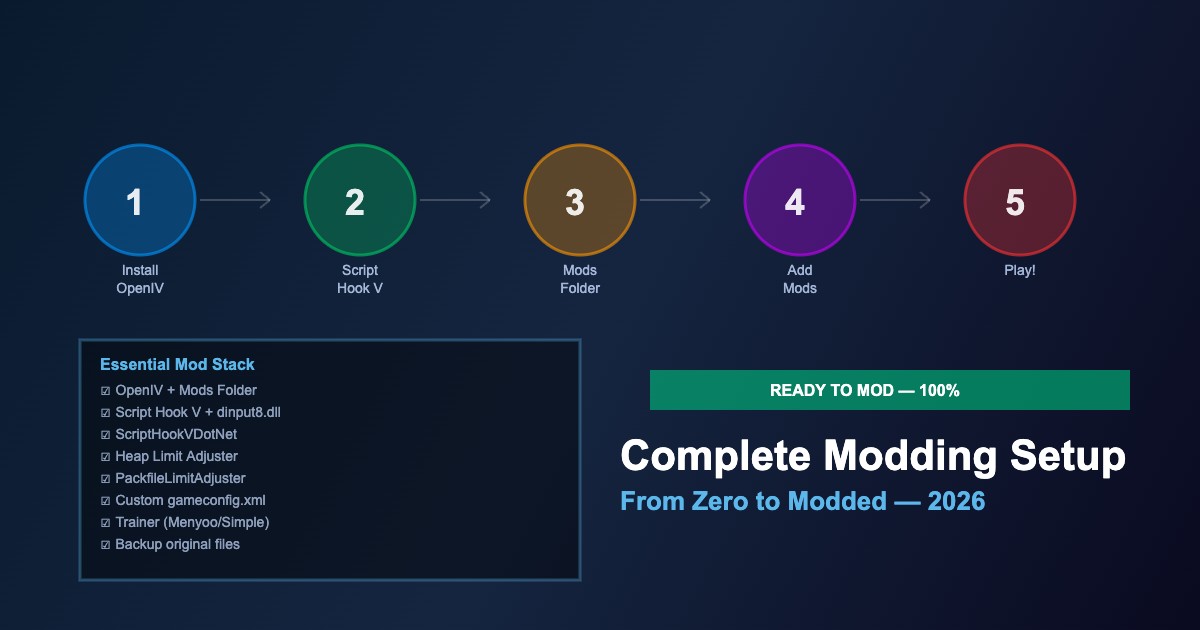
Backup your game — copy the entire GTA 5 folder before touching anything
-
Install OpenIV — download from openiv.com, install, and set up the mods folder (ASI Manager → Install)
-
Install Script Hook V — extract
ScriptHookV.dll and dinput8.dll to GTA 5 root
-
Install ScriptHookVDotNet — extract to GTA 5 root; create
scripts/ folder
-
Install Heap Limit Adjuster —
HeapAdjuster.asi to GTA 5 root
-
Install PackfileLimitAdjuster —
PackfileLimitAdjuster.asi to root
-
Install custom gameconfig.xml — via OpenIV mods folder to increase limits
-
Install a trainer — Menyoo or Simple Trainer for testing and spawning
-
Test launch — run GTA 5, verify trainer opens, no crashes
-
Start adding mods! — vehicles, scripts, maps, visual overhauls
Essential File Locations
| File |
Location |
Purpose |
ScriptHookV.dll |
GTA 5 root |
Script mod framework |
dinput8.dll |
GTA 5 root |
ASI loader |
scripts/ |
GTA 5 root |
.dll and .cs script mods |
mods/ |
GTA 5 root |
OpenIV mods folder (safe edits) |
update.rpf |
mods/update/ |
Game data modifications |
Common First-Time Issues
-
Game won't launch — Script Hook V may need update after game patch; check version
-
ERR_FIL_PACK — install PackfileLimitAdjuster
-
Crash on loading — gameconfig.xml needed for mod support
-
Mods not appearing — check mods folder structure matches original RPF paths
-
Online ban risk — NEVER go online with mods installed; use mods folder to easily disable
Disabling Mods for Online
-
Rename dinput8.dll to
dinput8.dll.bak — disables all ASI/script mods
-
Or use OpenIV mods folder — game ignores mods folder when going online
-
Always verify — launch Story Mode first to confirm mods are disabled before going Online





Comments0
Sign in to leave a comment
No comments yet. Be the first to comment!