Handling Mods - Realistic Vehicle Physics for GTA 5
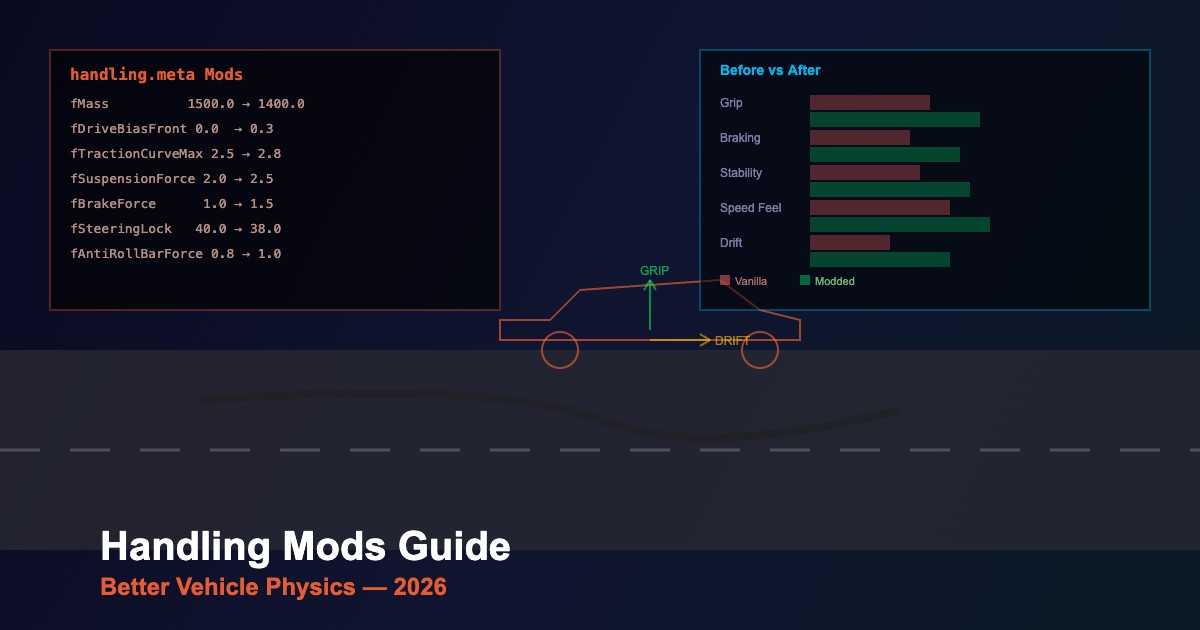
Handling mods transform how vehicles drive in GTA 5 by modifying the physics engine parameters. This 2026 guide covers installation, the best mods, and how to customize handling yourself.
What Handling Mods Change
| Category | Parameters | Effect |
|---|---|---|
| Traction | fTractionCurveMax, fTractionLossMult | Grip level, tire slip behavior |
| Suspension | fSuspensionForce, fSuspensionRaise | Ride height, stiffness, body roll |
| Braking | fBrakeForce, fBrakeBiasFront | Stopping power, brake balance |
| Steering | fSteeringLock, fTractionBiasFront | Turn radius, understeer/oversteer |
| Drivetrain | fDriveBiasFront, nInitialDriveGears | AWD/RWD/FWD, gear count |
| Weight | fMass, fPercentSubmerged | Vehicle weight, buoyancy |
Top Handling Mods 2026
- Realistic Driving V — complete overhaul making all vehicles handle more realistically
- RDE Handling — balanced between realism and fun, works with Realism Dispatch Enhanced
- Drift Handling — makes rear-wheel cars easy to drift with proper angle and smoke
- Sim-cade Handling — simulation-style physics with arcade accessibility
- Individual Vehicle Handling — per-vehicle tuned handling for specific add-on cars
Installation
- Open OpenIV with mods folder enabled
- Navigate to
mods/update/update.rpf/common/data/ - Replace
handling.metawith the modded version - For individual vehicles, find the specific handling entry and modify only that block
- Test in-game — spawn the vehicle and evaluate the changes
Custom Handling Tips
- Start small — change one parameter at a time and test the result
- fTractionCurveMax — the most impactful grip parameter; 2.0-2.5 is realistic, 3.0+ is grippy
- fDriveBiasFront — 0.0 = RWD, 0.5 = AWD, 1.0 = FWD
- fBrakeForce — 1.0 is standard; 1.5+ for stronger brakes
- fSuspensionForce — higher = stiffer; lower = softer ride
- Backup — always keep the original handling.meta for reference
Compatibility
- Add-on vehicles — have their own handling entries in their DLC handling.meta
- Replace vehicles — use the same handling ID as the replaced vehicle
- Multiple mods — handling mods conflict if they modify the same file; merge manually
- Game updates — Rockstar updates may add new entries; merge carefully after patches





Comments0
Sign in to leave a comment
No comments yet. Be the first to comment!