Menyoo PC Trainer — Complete Feature Guide 2026
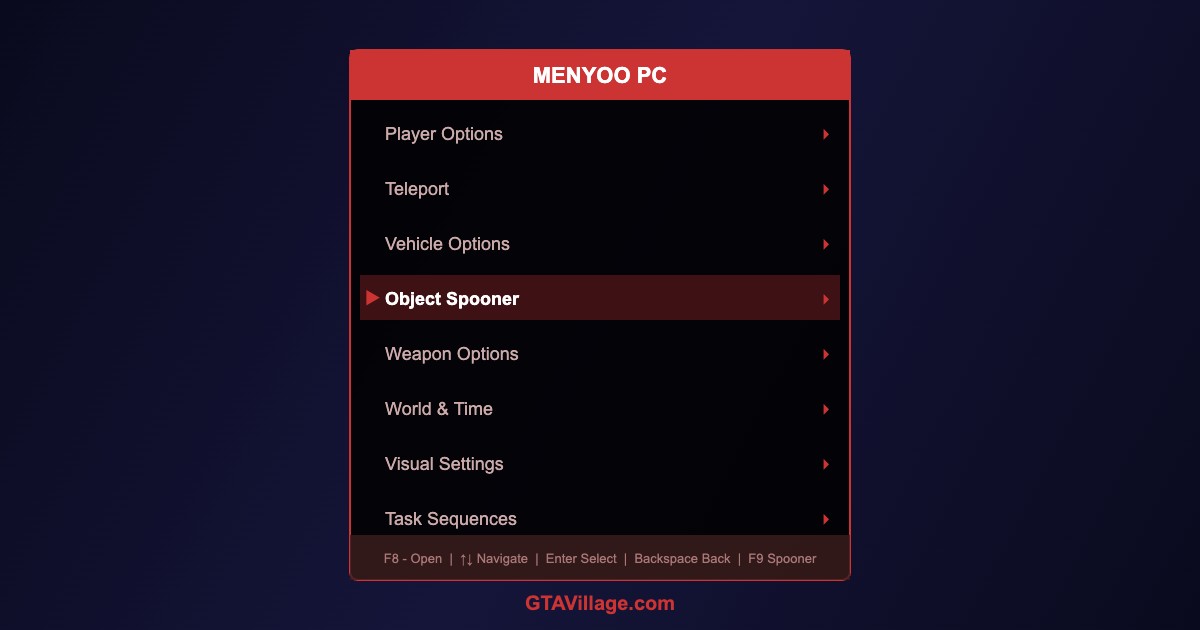
Menyoo PC is one of the most powerful trainer mods for GTA 5, combining a trainer with an advanced object spawner (Object Spooner). Build maps, spawn entities, and control every aspect of the game world.
| Feature | Description | Hotkey |
|---|---|---|
| Main Menu | Open Menyoo trainer interface | F8 |
| Object Spooner | Place and edit objects in the world | F9 |
| Player Options | God mode, wanted level, model change | Via menu |
| Vehicle Spawner | Spawn and customize any vehicle | Via menu |
| Teleport | Saved locations and map marker teleport | Via menu |
| Visual Settings | Timecycle, weather, post-processing | Via menu |
Installation
- Download Menyoo PC from a trusted source
- Ensure Script Hook V is installed and up to date
- Copy
Menyoo.asito your GTA 5 root directory - Copy the
menyooStufffolder to the game root - Launch the game and press F8 to open the menu
Object Spooner Guide
- Press F9 or navigate to Object Spooner in the menu
- Select Manage Entity Database to see all spawned objects
- Choose Spawn Object → enter object name or browse categories
- Use Arrow Keys to move objects, Page Up/Down to raise/lower
- Hold Shift for fine-tuning precise positions
- Use Attachment feature to attach objects to vehicles or peds
- Save your creation with Save Placement File
Vehicle Customization
- Spawn any vehicle and enter the Vehicle Options submenu
- Change paint colors, wheels, neon lights, license plate, and window tint
- Adjust performance: engine, brakes, transmission, turbo upgrades
- Apply lowrider hydraulics to compatible vehicles
- Save vehicle presets for quick spawning later
Task Sequences
- Create scripted NPC behavior — walk paths, enter vehicles, perform actions
- Chain multiple tasks together for cinematic sequences
- Useful for machinima and video production
- Save task sequences for reuse across sessions
Tips
- Menyoo works in Story Mode only — never in GTA Online
- Object Spooner maps save to
menyooStuff/Spooner/ - Use with Rockstar Editor for professional-quality video creation
- Combine with visual mods for stunning screenshots





Comments0
Sign in to leave a comment
No comments yet. Be the first to comment!