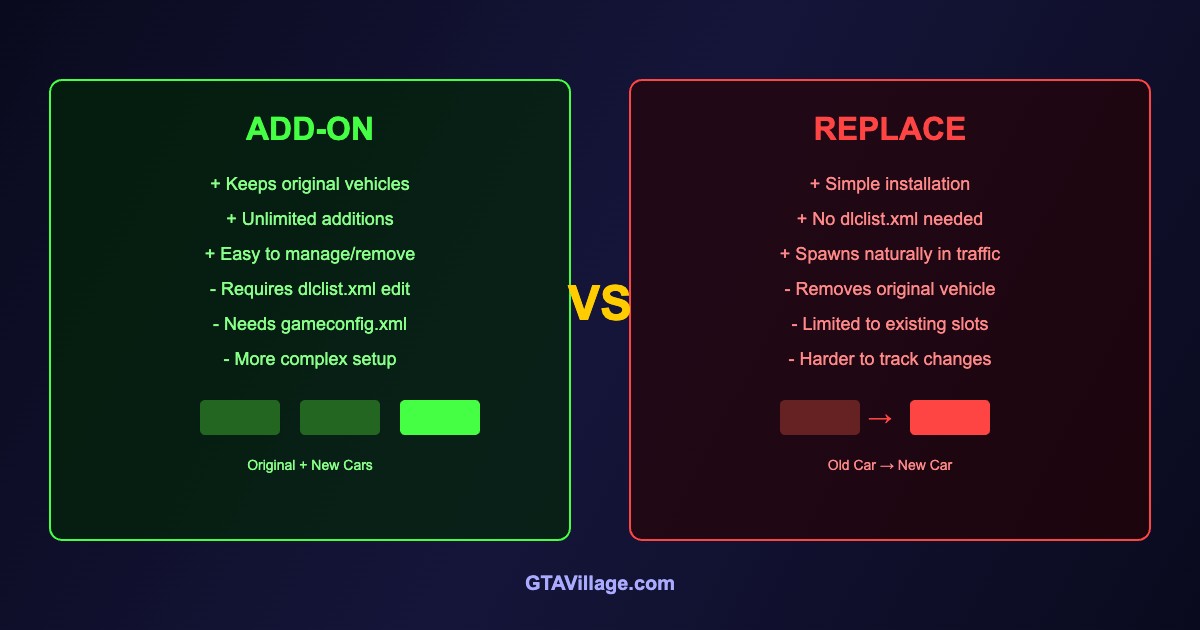
Add-On vs Replace Vehicles in GTA 5 — Complete Comparison 2026
When installing vehicle mods in GTA 5, you have two main methods: Add-On (adds new vehicles) and Replace (swaps existing ones). Each has advantages depending on your goals.
| Feature | Add-On | Replace |
|---|---|---|
| Original vehicles | Kept intact | Removed/overwritten |
| Vehicle limit | Hundreds with gameconfig | Limited to existing slots |
| Installation | DLC pack structure | Simple file swap in OpenIV |
| Traffic spawning | Trainer spawn only (by default) | Spawns naturally in traffic |
| Removal | Delete folder + dlclist entry | Restore original file |
| Files needed | dlc.rpf, dlclist.xml, gameconfig | .yft + .ytd only |
How to Install Add-On Vehicles
- Download the add-on vehicle pack (should contain a
dlc.rpf) - Create folder:
mods/update/x64/dlcpacks/[vehiclename]/ - Place
dlc.rpfinside this folder - Open
mods/update/update.rpf/common/data/dlclist.xml - Add:
<Item>dlcpacks:/[vehiclename]/</Item> - Ensure your
gameconfig.xmlsupports additional DLC packs - Spawn in-game using a trainer (search by vehicle spawn name)
How to Install Replace Vehicles
- Download the replace vehicle (contains .yft and .ytd files)
- Open OpenIV and navigate to
mods/x64e.rpf/levels/gta5/vehicles.rpf - Enable Edit Mode
- Find the vehicle being replaced (e.g.,
sultan.yft,sultan.ytd) - Drag and drop the new files to replace the originals
- If included, also replace
vehicles.metaandhandling.metaentries
When to Use Each Method
- Add-On is best when you want to keep all original vehicles and add new ones on top
- Replace is best when you want a specific vehicle to appear naturally in traffic
- Add-On for large collections — you can have hundreds of custom vehicles
- Replace for LSPDFR — police vehicles need to replace default emergency vehicles
- Add-On for easy mod management — just delete the folder to remove
Common Issues
- Add-On not spawning: check dlclist.xml entry and spawn name in trainer
- Replace crashes: model too high-poly or incompatible with game version
- Missing textures: forgot to replace the .ytd file alongside .yft
- ERR_GEN_INVALID with many add-ons: upgrade your gameconfig.xml





Comments0
Sign in to leave a comment
No comments yet. Be the first to comment!