CompuLite — Lightweight MDT Computer for LSPDFR (2026)
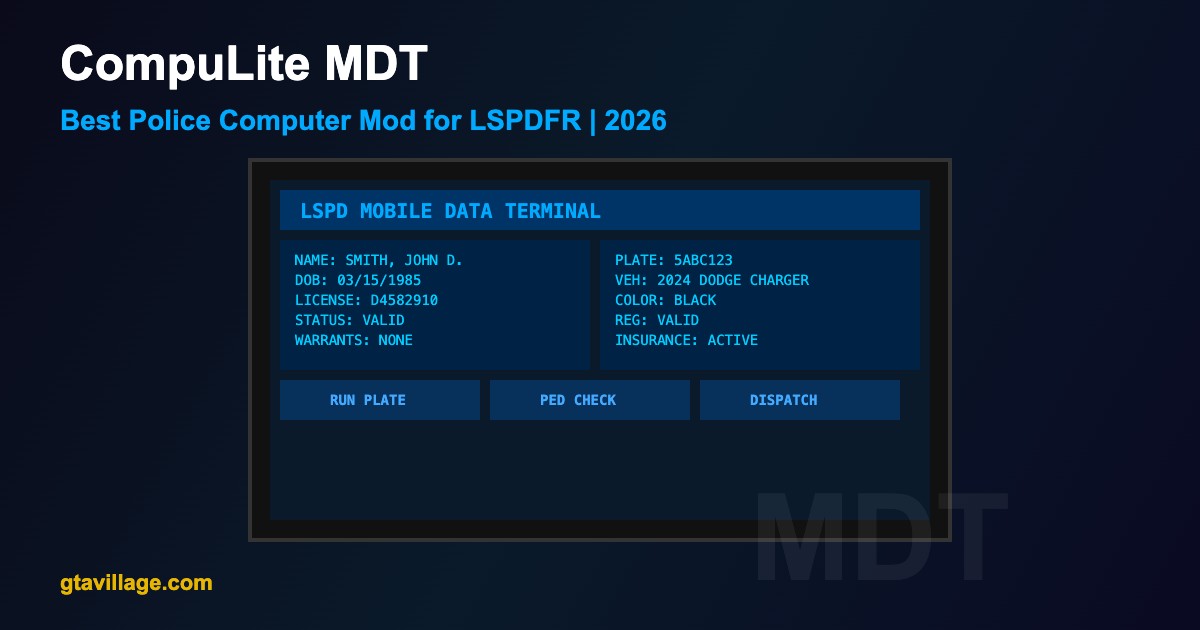
CompuLite is a lightweight and user-friendly Mobile Data Terminal (MDT) for LSPDFR. It provides essential police computer functions — running plates, checking ped records, viewing dispatch calls, and managing your patrol — all through a clean, immersive in-car interface.
MDT Functions
| Function |
Description |
Usage |
| Run Plate |
Check vehicle registration, owner info, and warrants |
Enter plate number or auto-read nearby plates |
| Ped Check |
Look up pedestrian records, criminal history |
Enter name or auto-detect from interaction |
| Dispatch Log |
View active calls and dispatch history |
Browse list, accept/decline calls |
| Unit Status |
Set your status (Available, En Route, On Scene) |
Click status buttons |
| Warrant Search |
Check for outstanding warrants on suspects |
Search by name or plate |
| BOLO Alerts |
Be On the Lookout alerts for wanted vehicles/persons |
View active BOLOs |
| Officer Notes |
Add notes to current patrol session |
Text input field |
Installation
- Download CompuLite from LCPDFR.com or GTA5-Mods.com
- Ensure LSPDFR 0.4.9+, RAGE Plugin Hook, and RAGENativeUI are installed
- Extract the archive contents
- Copy
CompuLite.dll to plugins/LSPDFR/
- Copy the
CompuLite configuration folder to plugins/LSPDFR/
- Launch game via RAGE Plugin Hook, go on duty, and press the configured key to open MDT
CompuLite vs Computer+ Comparison
| Feature |
CompuLite |
Computer+ |
| Interface |
Lightweight, minimal |
Full-featured, complex |
| Performance |
Very fast, low resource |
Moderate resource usage |
| Plate Reader |
Basic |
Advanced with ANPR |
| Ped History |
Summary view |
Detailed criminal history |
| Customization |
Config file |
Extensive XML configs |
| Ease of Use |
Very easy |
Moderate learning curve |
| Updates |
Active development |
Stable, mature |
Controls
| Key |
Action |
F11 (default) |
Open/close MDT |
Tab |
Switch between MDT tabs |
Enter |
Confirm search / execute command |
Esc |
Close MDT or cancel current action |
Configuration
-
OpenKey — change the hotkey to open the MDT (default: F11)
-
AutoReadPlates — enable automatic plate reading when near vehicles
-
ShowBlips — display dispatch call locations on minimap
-
WarrantChance — probability of a random ped having an outstanding warrant
-
StolenVehicleChance — chance that a plate check returns a stolen vehicle
-
Theme — choose between dark/light MDT interface themes
Tips
- Use plate reader while driving to passively check vehicles ahead of you
- Always run plates before approaching a vehicle during traffic stops for safety
- Check dispatch log regularly for new callouts in your area
- Combine with Stop The Ped for seamless traffic stop workflow
- Set unit status to keep dispatch informed during roleplay





Comments0
Sign in to leave a comment
No comments yet. Be the first to comment!